
Best Practices for Managing Security in Dallas Corporate Offices
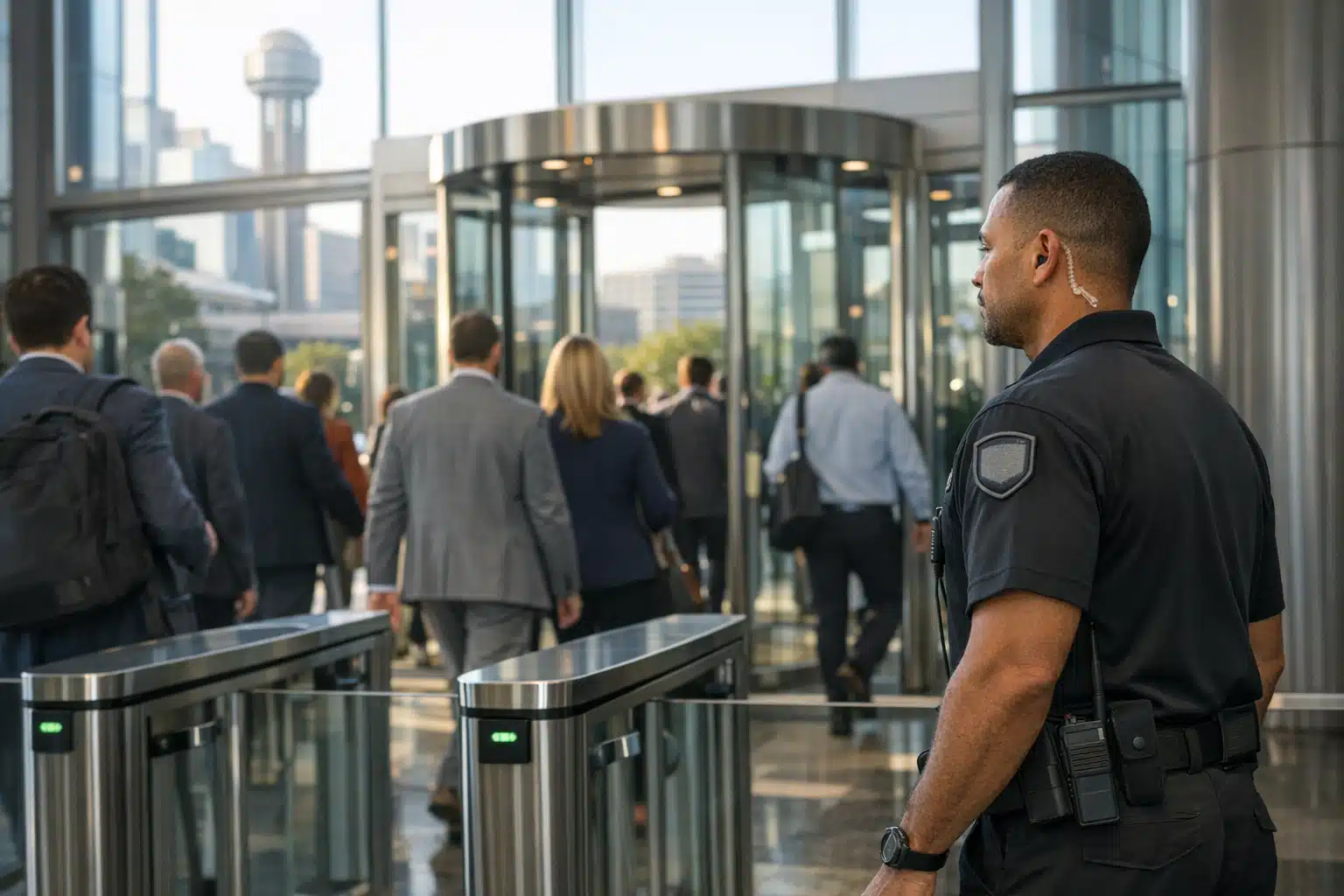
Managing security in Dallas corporate offices requires a layered approach that addresses high foot traffic and common vulnerabilities. Strong corporate security keeps unauthorized visitors and tailgaters out, protects employees working after hours, and maintains detailed records of every building entry. Property managers should implement access control systems, monitor entry points consistently, and establish clear protocols for downtown towers, campuses, and office parks alike.
Dallas recorded more than 36,000 business and commercial property crimes in a recent year, according to Dallas Police Department data. Downtown towers, Las Colinas campuses, and North Dallas office parks all face the same pressure: foot traffic moves fast, and gaps get exploited. Strong corporate security keeps tailgaters out, protects after-hours staff, and gives property managers a record of every entry.
This post breaks down what works inside real Dallas offices. You get specific tactics, cost comparisons, and a checklist you can act on this week.
Why Corporate Security Fails in Fast-Paced Dallas Offices
Most breaches start with people, not broken locks. Employees prop doors, visitors slip past front desks, and delivery drivers roam unescorted floors.
Dallas offices add their own strain. High tenant turnover in shared towers means badge lists go stale. Flexible schedules put small teams in the building at 9 p.m. with no one watching the lobby.
Three failure points show up again and again:
- Tailgating at glass entrances during morning rush
- Unmonitored loading docks and parking garages after 6 p.m.
- Stale access lists that still grant entry to former staff
Fixing office security management starts with closing those three gaps first.
Build Layered Access Control That Matches Dallas Traffic
Access control is the first layer of corporate security. It decides who enters, when, and which floors they reach.

One badge swipe at the front door is not enough for a multi-tenant Dallas building. You need checkpoints that match how people move.
Set Up Entry Zones by Risk Level
Divide your office into three zones. This keeps low-risk areas open and high-risk areas locked tight.
- Public zone: lobby and reception, open during business hours
- Staff zone: work floors, badge access only
- Restricted zone: server rooms, HR files, executive suites, dual authentication
A server room breach can halt a Dallas firm for days. Put your strongest controls there, not at the front door.
Stop Tailgating at the Front Entrance
Tailgating defeats even expensive badge systems. One courteous employee holding a door lets a stranger onto a secure floor.
Pair a staffed lobby with turnstiles or speed gates. A posted officer reads intent that no sensor can. During our lobby coverage at a Downtown Dallas tower, officers stopped an average of four unbadged entries per week.
Match On-Site Guards to Your Actual Risk Windows
On-site guards handle what cameras cannot: live judgment, visitor escorts, and physical response. The question is when you need them.
You rarely need a guard at every door for 24 hours. You need coverage during your real risk windows.
When On-Site Guards Earn Their Cost
- Lobby hours with heavy visitor volume (7 a.m. to 6 p.m.)
- After-hours windows when small teams stay late
- Tenant moves and large deliveries with open docks
- Terminations and tense HR meetings requiring a standby presence
A staffed desk also speeds emergency response. A guard already inside your North Dallas office reaches a medical event in seconds, not the minutes an outside call takes.
Use Remote Video Surveillance for Off-Hours Coverage
Remote video surveillance is live camera monitoring handled by trained operators at an off-site center. Agents watch feeds, verify alarms, and call police when they see a real threat.
This fills the hours when a full guard roster costs too much. Garages, docks, and rear entrances stay covered overnight at a fraction of on-site rates.
How Remote Monitoring Beats a Passive Camera
A recording only helps after a crime. Remote monitoring stops the crime in progress.
When a motion alert fires at a Las Colinas loading dock at 2 a.m., an operator sees it live. They trigger a voice-down warning: a speaker telling the intruder they are watched. Most leave within seconds.
Voice-down warnings prevent the break-in before damage happens. That beats filing a report the next morning.
Compare On-Site Guards and Remote Surveillance Costs
Dallas business owners ask this first: which costs less? The honest answer is that each covers different risks.
Rough Cost Framework for Dallas Offices
- On-site guard: higher hourly rate, best for lobbies, escorts, and live response
- Remote monitoring: lower cost per covered hour, best for perimeters and off-hours
- Blended coverage: guards during business hours, remote feeds overnight
Most Dallas corporate clients land on a blended model. They staff the lobby by day and shift to remote video after close. This cuts overnight labor cost without leaving the garage dark.

 Posted on Google
Keep Access Lists and Visitor Logs Current
Stale data breaks good systems. A former employee whose badge still works is a risk no camera catches.
Office security management depends on clean records. Review them on a schedule, not after an incident.
A Weekly Office Security Checklist
- Audit badge access and revoke former staff within 24 hours of departure
- Review visitor logs for repeat unescorted names
- Test every door sensor and alarm contact
- Check camera angles for new blind spots from furniture moves
- Confirm after-hours contact list is accurate for guard call-downs
Run this list every Monday. It takes 30 minutes and catches gaps before they cost you.
Train Staff as Your First Line of Defense
Your employees see threats before any officer does. Brief them on what to report and how.
Teach three habits that stop most incidents:
- Never hold a secure door for someone without a visible badge
- Escort visitors rather than pointing them down a hall
- Report propped doors and unfamiliar faces to the front desk
A 15-minute quarterly briefing keeps these habits sharp. Pair it with a clear reporting channel so staff act fast.
Plan for After-Hours and Emergency Response in Dallas
Response time decides whether an incident stays small. Dallas police response varies by district and call priority.
A trained officer or remote operator cuts that gap. They verify the threat and give dispatchers exact details, which raises call priority.
Set Clear Escalation Steps
- Operator or guard spots the threat
- Voice-down warning or physical approach
- Call to Dallas PD with live details
- Notification to your facility manager
- Written incident report filed same day
Write this chain down. Post it at the guard desk and share it with your leadership team.
Bringing It Together for Your Dallas Office
Strong corporate security in Dallas layers access control, staffed lobbies, and remote monitoring to match your real risk windows. Keep access lists clean, train your staff, and set a clear response chain. A blended guard-and-camera model gives most offices full coverage without overpaying for overnight labor.
Twin City Security Dallas assesses your building and builds coverage around how your office moves. Call or text 972‑385‑1144, email Dallas@twincitysecurity.com, or visit https://www.twincitysecuritydallas.com for a Dallas security assessment.
Sources
- Dallas Police Department – Crime Statistics and Data
- Cybersecurity and Infrastructure Security Agency – Physical Security
- Texas Department of Public Safety – Private Security Program
Dallas recorded over 36,000 business and commercial property crimes in a recent year, making corporate office security a pressing concern. This guide covers layered access control, guard placement, remote video monitoring, and staff training to address common security gaps.
- Most security breaches stem from human error like tailgating, propped doors, and stale badge lists that still grant access to former employees. Dividing offices into public, staff, and restricted zones helps match controls to risk levels.
- On-site guards work best during high-traffic lobby hours and sensitive situations, while remote video monitoring offers cost-effective overnight coverage with live operators who can issue voice warnings to intruders.
- A blended model combining daytime guards with after-hours remote surveillance gives most Dallas offices full coverage without overpaying for overnight labor. Weekly audits and quarterly staff training keep the system effective.